

Deploy Approval for Jenkins
Production deploys wait for approval.
Screens
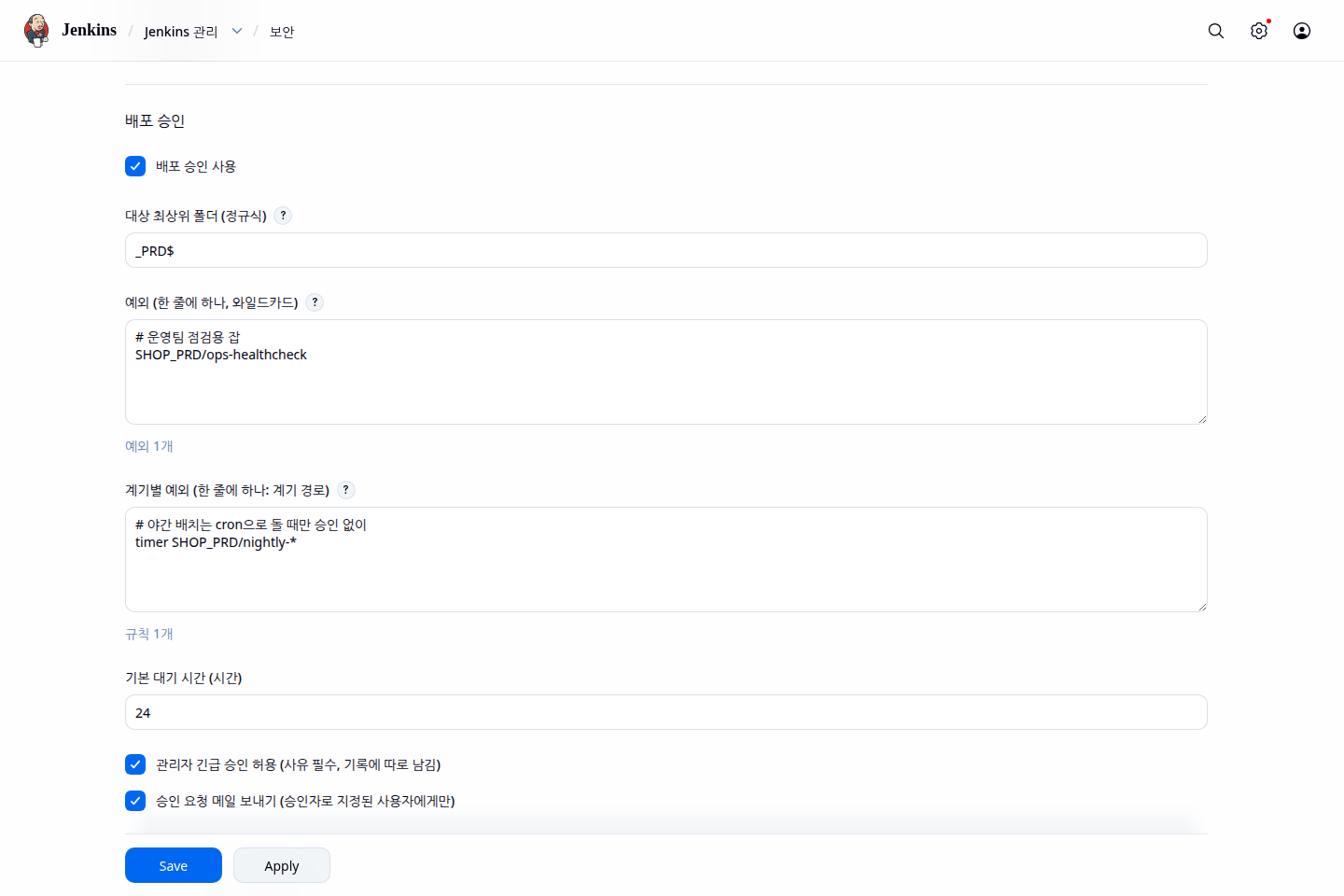
Overview
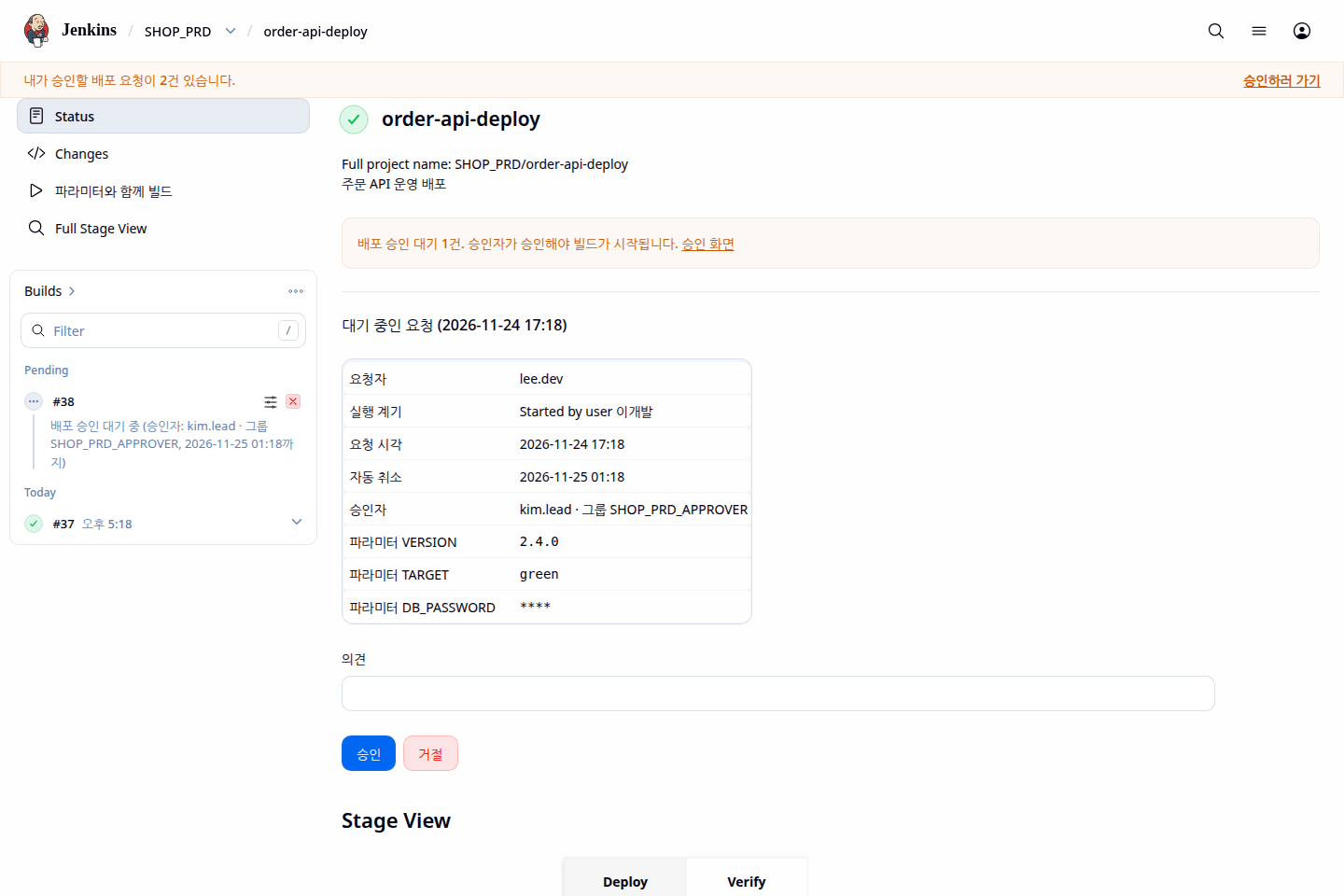
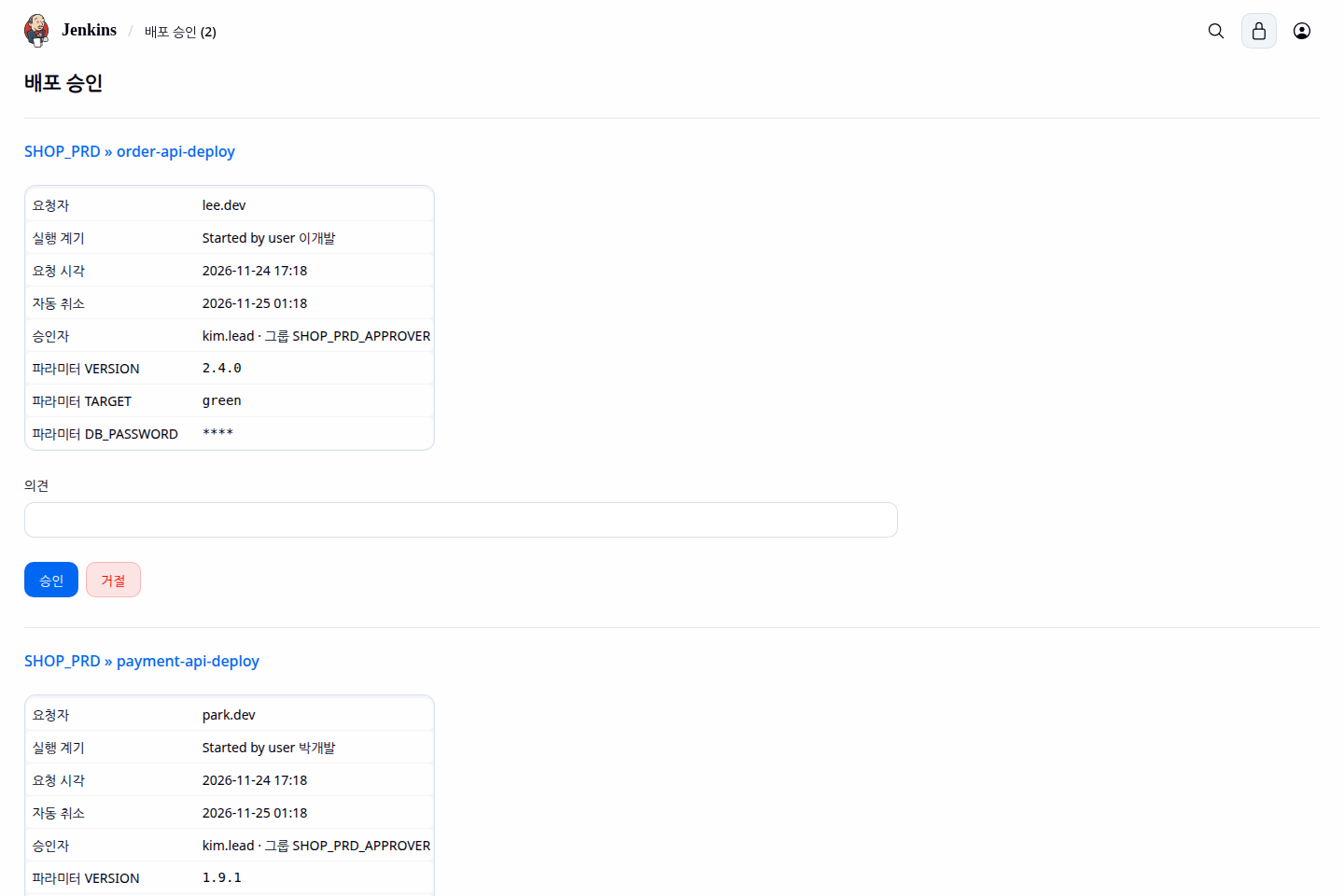
Builds under a top-level folder whose name matches the production rule (by default, names ending in _PRD) stop in the queue before they start, and run only after a designated approver approves them. It works for Pipeline, Freestyle, Multibranch branches, Replay and Rebuild, so no Jenkinsfile needs to change.
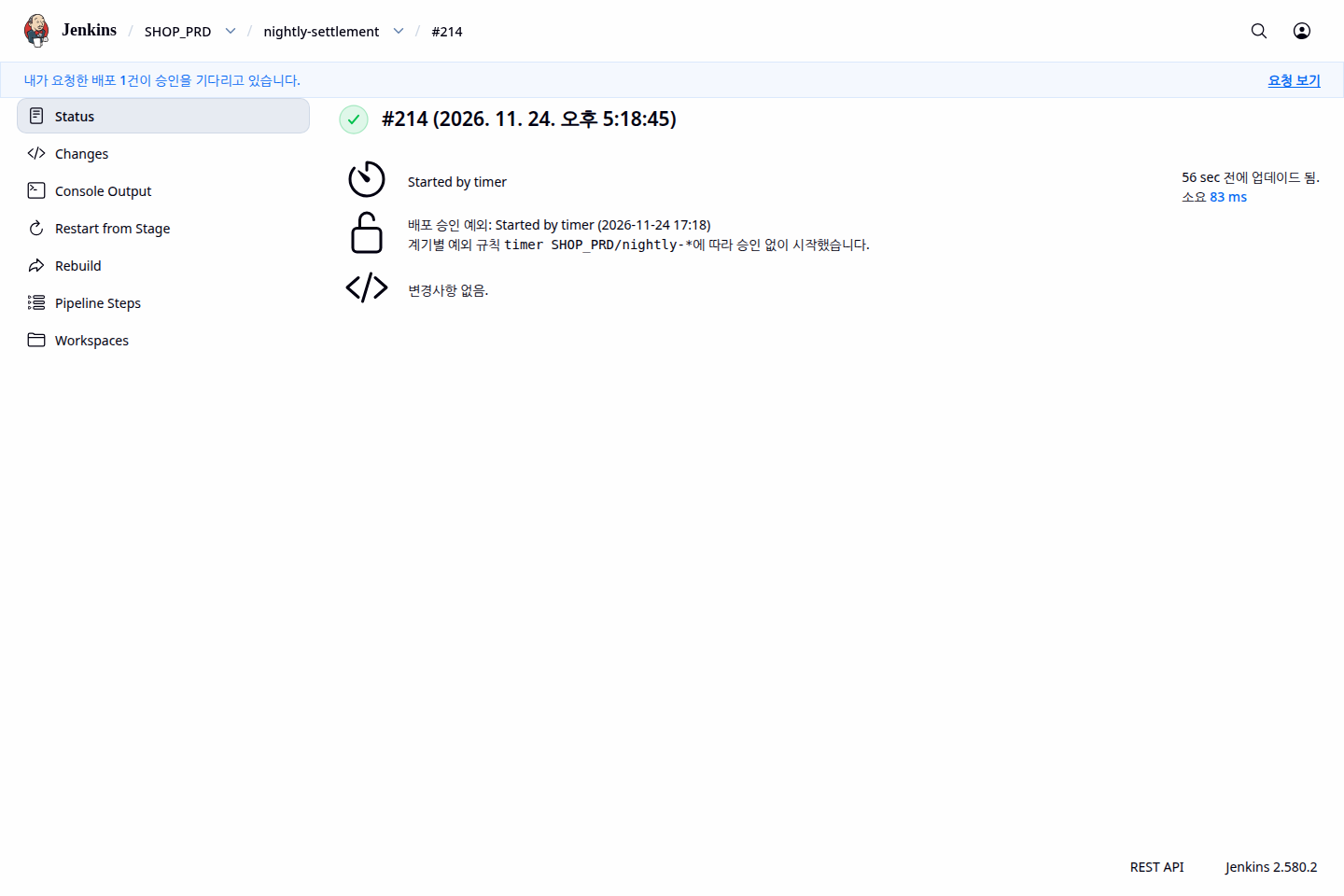
It catches more than manual builds: cron, SCM polling, webhooks, remote calls and builds started by upstream jobs are held too. Automated runs that must go through without approval, such as nightly batches, are released by narrow per-trigger exemptions in the system settings.
How it works
- 1Build requested
- 2Held in queue, approver mailed
- 3Approve or reject
- 4Build starts, decision recorded
Highlights
Four-eyes check
Approvers are set per folder as users or groups. By default requesters cannot approve their own builds, and an admin override requires a reason.
Hard to miss
Approval mail, approve and reject buttons on the job page, and a one-line alert on every page. Requests that are not approved in time are cancelled automatically.
Audit trail
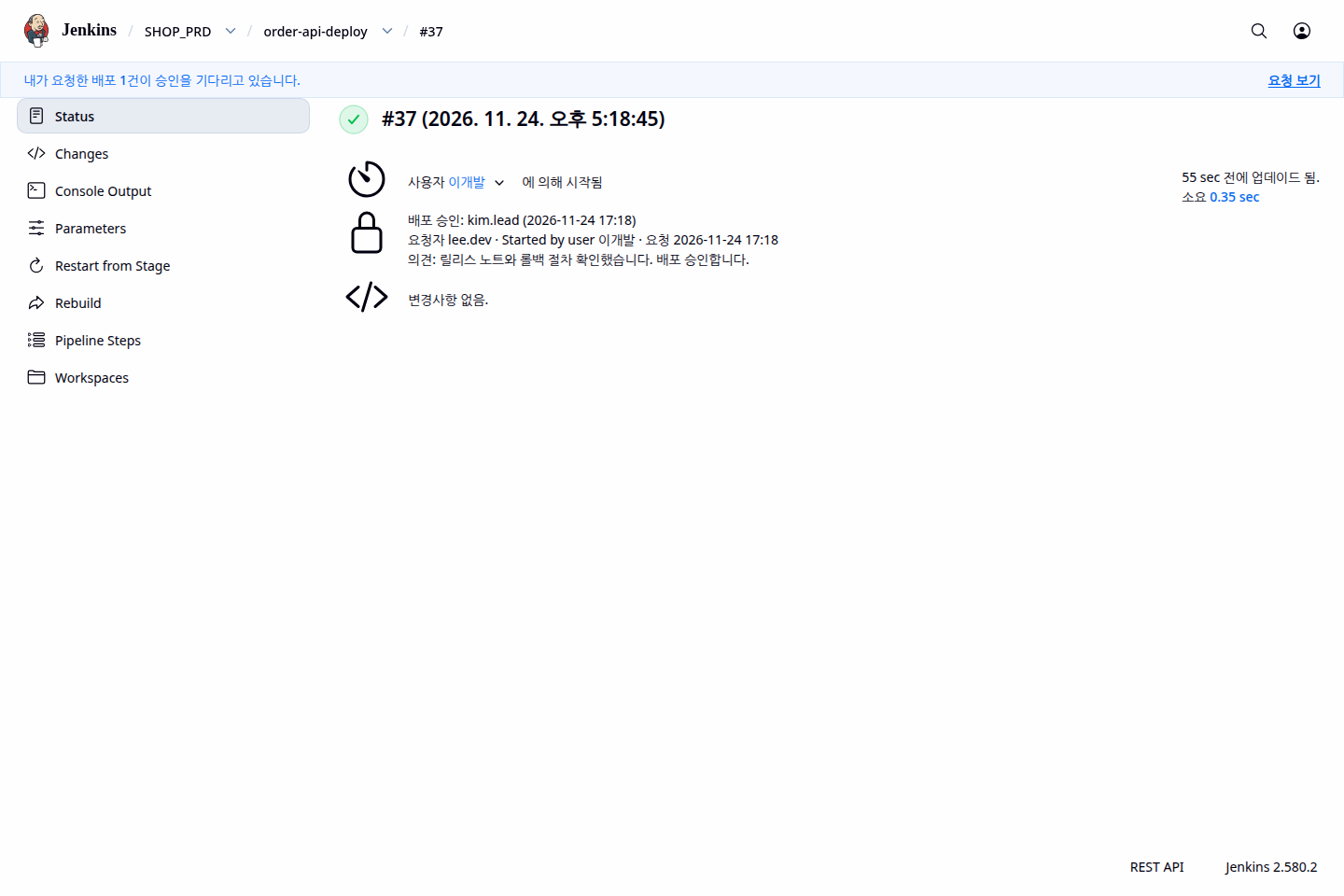
Approved builds show who approved, when and why, and every request and decision is appended to a monthly JSONL audit file. Password parameters are masked.


